
IT HELP DESK TRAINING
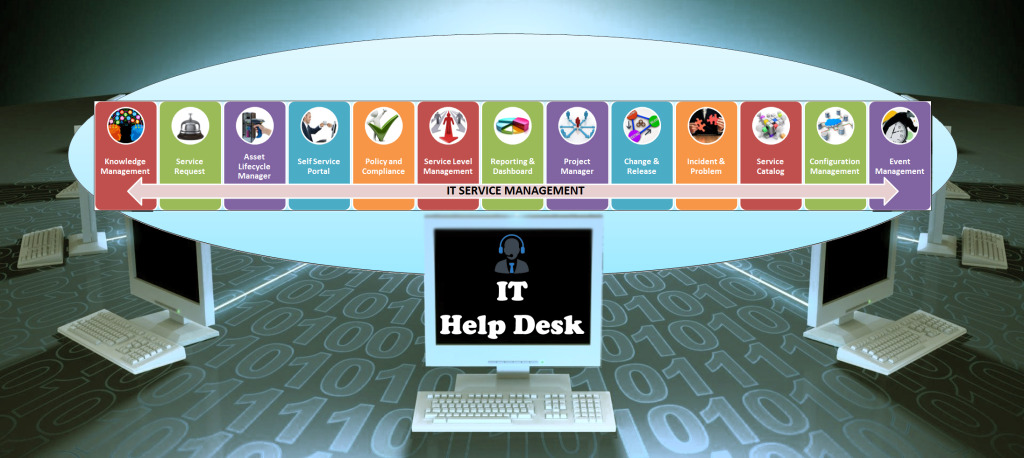
We are state of art IT Help Desk support service providers, now we are share our real time experience and offering IT Help Desk Training with full theory and practical support. Come and experience the difference..!!
Supernal‘s experiential learning methodology sensitizes students and freshers to replicate on dimensions which have been left unexplored. From Induction programs to Soft Skills Training, Leadership Training, Technology Training, Project Delivery and Management Development Programs, we don’t leave any stone unturned for the expedited learning of an individual.
Struggling to get a right placement? We are here to help you!!
The training is divided into 3 phases:
- Phase I – Soft Skills
- Phase II – Technical Skills
- Phase III – Interview Skills
PHASE I – SOFT SKILLS
Introduction
- What is a Call Centre
- Types & Functioning of Call Centre
- Career in a Call Centre
- Skills Necessary for a call center agent
Soft Skills
- Effective Interpersonal / Intra-team Communication
- Communication Skills
Accent
- Vowels and Consonants and their differences
- Usage of ‘The’
- Consonant Sounds – Introduction to Voiced and Voiceless Sounds
- Introduction to S, Z, T, D, Th, da sounds
- Learn sha, cha, jea, ja, f, p, b, v, w, h, yo, k, g, l, r, m, n, ing sounds
- Pronounce different types of Verb
- Contracted Speech
- Jaw Exercises / Pronunciation of Consonants & Vowels – 1
- Pronunciation of Vowels – 2
- Intonation
- Voice Modulation
- Neutral Accent
Team Building
- Getting along with your co-workers
- Different behaviours
- Being a Team Player
- Building a Team
Quality and its Importance
- Introduction to Quality
- Quality and its Contribution to Organization & Profitability
- Dimensions of Quality
- Segments in Quality
- Quality management principles
- Elaboration and Diagnosis Training
PHASE II – TECHNICAL SKILLS
PC Hardware Basics
- Installation, Configuration and Upgrading
- Diagnosing and Troubleshooting
- Preventive Maintenance
- Motherboard/Processors/Memory
- Printers and Scanners
- Basic Networking
Windows OS
- Introduction to OS
Windows 7: - Making Windows 7 Work for You
- Networking with Windows 7
- Maintaining and Optimizing your Computer
- Hardware and Software
- Security Features, Disaster Recovery and Troubleshooting
Windows 8/10 (More of Live experience) - Networking Concepts
- Internet
Networking
- Identifying characteristics of a network
- Identifying network topologies
- Network media and connectors
- Access methods
- Network architectures
- Network operating systems
Linux / MAC OS (Basics only)
- Intro to Linux / Unix
- History of UNIX / History of LINUX / Why LINUX/UNIX
- Layers of LINUX/UNIX
- Red Hat Enterprise Linux 6 Installation
- Managing Users and Groups
- Create and manage user accounts
- Manage complex file permissions
- User Security Issues
- Additional communications
- User security mechanisms
- File Permissions & The File system Hierarchy Standard
- Files and directories have
– Owner
– Group - Linux determines who can access file or directory based on:
– Who owner is
– Which group is assigned to object - File permissions define access granted to file or directory
Introduction to MAC: - Basic PC—MAC Differences
- Versions of OS X
- Interface
- Working with Windows
- The DOCK
- Hardware
- Common MAC Software’s
- Common Keyboard Shortcuts
PHASE III – INTERVIEW SKILLS
- Resume Preparation
- Rounds of Interview (Extempore / group Discussion / Grammar / Aptitude / Listening Skills)
- Personal Interview
- Mock Sessions
- Live Experience
Lack of appropriate TRAINING can lead to struggles and failure regardless of Intellectual ability
Benefits of IT HELP DESK Training Program
- Better Success Ratio for Students and Fresher’s
- Assistance in Placement
- Large choice of job opportunities
- Technology Enabled Platform for Comprehensive Assessment
- Technical Certifications Empowerment
- Enhance career planning knowledge and improve self-marketing skills
- Video Resume enhances chances of recruitment manifold
- Test series based on the pattern of screening and technical examination
- Any time access to practice tests
- Plenty of online tutorials, practice tests, job posting etc to enhance chance of success
For more information, contact us:
Mobile| +91 810 612 9786
Land line| +91 40 6540 0396
e-mail| contact@supernalsolutions.com
Please enter your contact details and a short message below and we will try to answer your query as soon as possible.